
Radio Technology · TSL Strategy · Desktop Apps
Why a Windows App Is the Most Underutilized TSL Tool in Radio — and Why That Has to Change
By Bob Thornton · Radioservers, LLC · April 2026
Let me ask you something. Right now, how many browser tabs do you have open? Ten? Twenty? If you’re like most of the GMs, PDs, and engineers I work with, the answer is probably “too many to count.” And somewhere buried in that pile is very likely a streaming audio player for a station someone opened, got distracted from, and accidentally stopped an hour ago. That’s the problem we need to talk about — and it has a solution most broadcasters haven’t put on their radar yet: a dedicated Windows desktop app for your radio station.
I’ve been building radio technology since 2004 — apps for iOS, Android, Roku, Apple TV, Fire TV — and nothing surprises me more than how consistently overlooked the Windows listener app is. We pour enormous energy into every mobile platform and connected TV, then leave billions of desktop listening hours on the table. Let’s fix that.
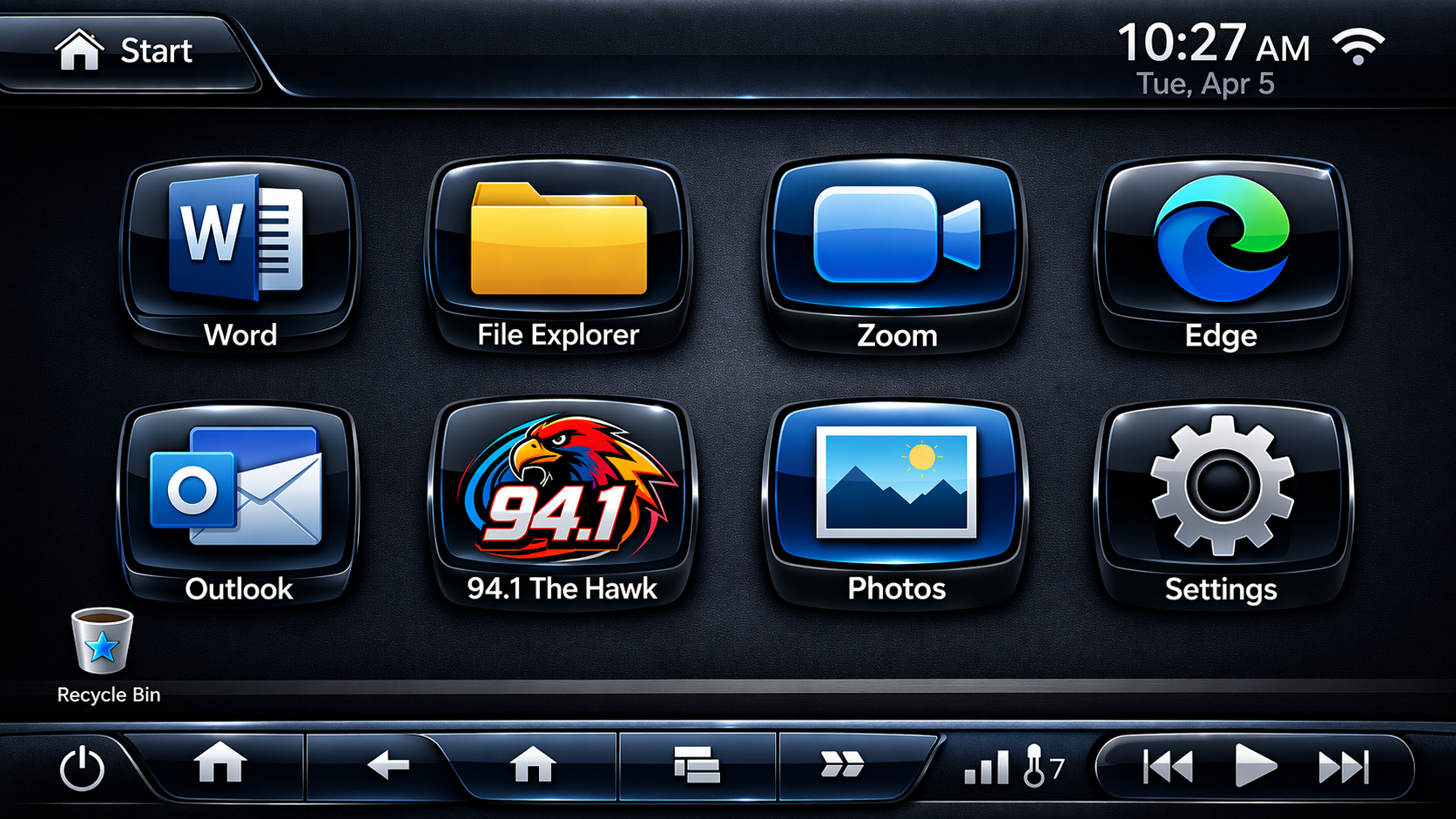 The Computer Is A Second Dashboard
Since 2020, remote work in the U.S. has experienced a dramatic surge and stabilization, with the number of people primarily working from home tripling from 5.7% (9 million) in 2019 to 17.9% (27.6 million) by 2021. As of 2024–2026, roughly 27–28% of all workdays are done remotely, stabilizing to a hybrid-first model with over 36 million Americans working at least partially from home. While radio remains strong on the car dashboard, it’s all but ignoring the other front of the battle.
Everybody says audio is a mobile medium now. And yes, mobile listening is significant. But consider what your listeners actually do with their time. The average American spends roughly two or more hours per day on a desktop or laptop for leisure activities alone — before adding work hours, which push total daily PC time to six, seven, or eight hours for many people. That is a massive unguarded listening window.
Windows commands roughly 61% of the global desktop and laptop market, running on over a billion active devices worldwide. In the United States alone, that’s approximately 230 million active Windows users. This is not a niche. This is the single largest computing platform on earth — and most radio stations have zero presence on it beyond a website buried in browser tabs.
Think about what those listeners are doing on their computers: working from home, managing email, gaming, creating content, browsing social media. Every one of those is an activity perfectly suited to a background audio companion — if your station has a frictionless way to be there.
“The average American spends two or more hours per day on a desktop or laptop for leisure alone — before counting work. That’s an unguarded listening window most stations are completely ignoring.”
Browser-based streaming is fragile by design. Browsers are built to switch, close, reload, and fight for attention. Every listening session is one mis-click away from being gone. Think about the workflow your listener must complete just to tune in via browser:
Five Friction Points Before the First Song Plays
That’s five friction points before audio begins. And once the stream is running, it competes with every other tab, every notification, every autoplay video. Any one of those can kill the session.
Now compare that to a branded radio station desktop app for Windows: the listener double-clicks your station’s icon on their desktop, and you’re playing. One click. No browser. No tabs. No navigation. If they need to get back to work, they minimize the app to the system tray — it sits quietly in the taskbar corner, playing your content, for hours.
Every programmer in radio would love that kind of uninterrupted listening session. A Windows app is the only platform where it’s genuinely achievable on a desktop computer.
This is the point that stops broadcasters cold when I explain it, because it’s so different from every other listening environment.
On a smartphone, a Spotify notification competes for attention. On a smart speaker, another station is one voice command away. On a connected TV, a different app is one remote click away. But when your station’s branded desktop app is running on a Windows computer, there is no dial. There is no competing app one tap away. There is no “what else is on.”
There is only your logo, your stream, your now-playing data, and your ad inventory. The entire audio experience is yours.
“When your branded Windows app is running, there is no dial. No competing tab. No Spotify notification. Just your station — and a listener who isn’t going anywhere.”
Think about what that means for Time Spent Listening. One of the biggest TSL killers in radio is what I call the “what else is on” moment — when a listener’s attention drifts and they reach for something else. On a desktop app, there is no “something else” in reach. They’d have to actively open a different application and deliberately switch. Most people don’t do that. They minimize the app and keep working.
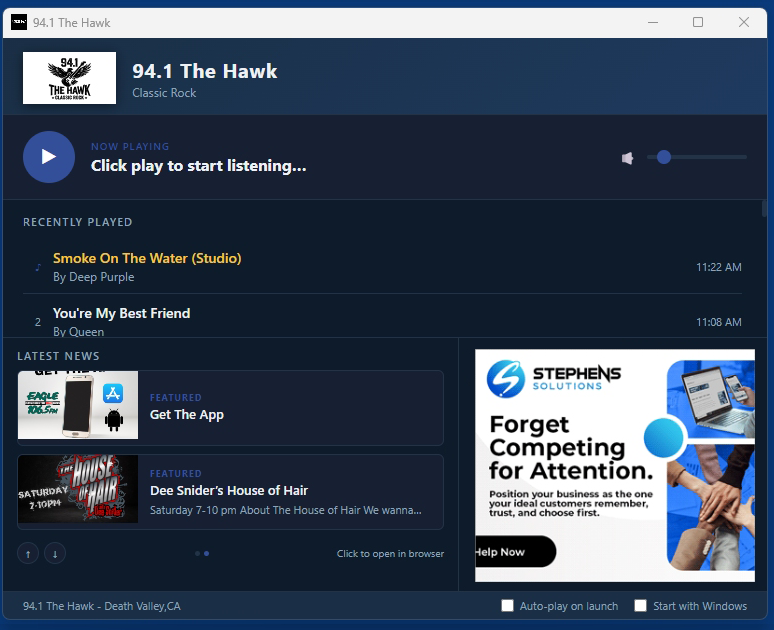
A well-built Windows desktop radio app is far more than an audio player. It’s a branded engagement hub that keeps your station’s identity in front of listeners for the duration of their session. Here’s what a full-featured station app delivers:
The app launches and the stream starts immediately. No button to click, no page to navigate. Listeners are on your station in under three seconds from a desktop icon double-click.
The app lives in the Windows system tray while the listener works. They can see at a glance that it’s running, right-click for play/pause controls, and never need to open the full window again. This is how long listening sessions happen — your station becomes part of the background of someone’s workday.
With listener permission, the radio desktop app launches automatically when their computer starts. Every morning when they sit down at their desk, your station is already playing. You are the first audio they hear. No other platform delivers that advantage on a desktop machine.
Real-time now-playing data and a recent song history panel pull from your stream metadata, deepening listener engagement with your programming and giving them a reason to glance at the app window throughout the day.
Your existing web banner campaigns serve directly inside the app window — 300×250 and 728×90 zones pulling from your ad server. No ad blocker interference. No competing page content. A clean, controlled ad environment that’s genuinely premium inventory for your sales team.
A single pre-roll audio ad plays once per app launch. The listener hears it when they open the app, it never repeats, and then your stream begins. It’s a top-shelf sponsorship position unlike anything else currently in your inventory.
Your radio station app for Windows can live in the Microsoft Store — discoverable by anyone searching your station name — and simultaneously as a direct .exe installer from your website. The Store listing adds credibility and organic discoverability you can’t get any other way on a Windows PC.
TSL Impact Calculation
A browser listener might stay connected for 20–30 minutes before a tab closes, a video autoplays, or they navigate away. A dedicated desktop app listener who minimizes to the tray while working? They may listen for two, three, or four hours without interruption.
Consider a station with 1,000 regular online listeners. If half install the app and average just one additional hour per session compared to browser listeners:
That’s 500 additional TSL hours per day — with no new content, no promotions, no additional spend.
That math scales with your audience. It’s a direct result of removing browser friction and competition, nothing more.
This is the most common objection I hear, and it’s worth addressing directly. Mobile and desktop are not the same listening context.
Mobile listening happens in the car, at the gym, running errands — shorter, task-adjacent sessions that compete with podcasts, navigation apps, and music services. Desktop listening happens during work, gaming, creative projects, and weekend computing — longer, ambient sessions where the listener wants something in the background and doesn’t want to manage it actively.
The listeners who install your Windows desktop streaming app are likely different from your mobile audience. They tend to be older, more format-dedicated, more likely to be working professionals who spend extended time at a keyboard. They’re available to listen for longer uninterrupted stretches in a way that mobile rarely delivers.
A Windows app doesn’t compete with your mobile app. It serves a different listener in a different context. Together, they mean your station has a presence on virtually every screen your audience uses — and that’s where this industry needs to be.
Your listeners are sitting at Windows computers for hours every day. They’re working, gaming, creating, and consuming content. Right now, most of them have no branded, frictionless way to keep your station running in the background while they do it.
A dedicated Windows desktop radio app changes that equation entirely. It removes browser friction. It eliminates the competition. It turns ambient listening into long-form listening. And it gives you a platform where your brand is the only thing on the screen.
“That icon on their desktop isn’t just software. It’s a daily relationship between your station and your listener — one that starts with a double-click and can last all day.”
If you haven’t put a radio station app for Windows on your roadmap yet, the platform is waiting. Your listeners are already there. You just need to show up.
Why should a radio station have a Windows desktop app?
A Windows desktop app eliminates the five friction points of browser-based listening, removes competing tabs, and can auto-start with the listener’s PC — making your station the first audio they hear every morning. Desktop app listeners consistently log significantly longer uninterrupted session lengths than browser listeners.
How does a desktop radio app increase Time Spent Listening (TSL)?
Unlike browser tabs that get closed or compete with other content, a dedicated desktop app minimizes to the Windows system tray and continues playing in the background for hours. There is no competing “dial,” no accidental tab closure, and no navigation friction — resulting in much longer, uninterrupted listening sessions compared to web-based players.
Can a radio station app be submitted to the Microsoft Store?
Yes. A branded Windows radio app can be listed in the Microsoft Store, where it becomes discoverable by listeners searching your station’s name. It can simultaneously be distributed as a direct installer download from your station website, giving you both discoverability and full control over distribution.
How many Windows PCs are there to install a radio app on?
Windows runs on over one billion active devices worldwide, with approximately 230 million active users in the United States alone. Windows holds roughly 61% of the global desktop and laptop OS market — making it the single largest computing platform available to your listeners.
Is a Windows radio listener app different from broadcasting software?
Completely different. Broadcasting software (like SAM Broadcaster or RadioDJ) is used by stations to encode and transmit audio. A Windows listener app is a branded application your audience installs on their personal computers to tune in to your station — the listener-facing equivalent of your mobile app, built specifically for the Windows desktop.
Can the same Windows app work for multiple stations in a cluster?
Yes. The a custom version could contain every station in a cluster, or every station in multiple cities/regions.
Learn more about how Radioservers Apps can build your Windows, mobile and OTT apps.
Bob Thornton
Founder & President · Radioservers, LLC · Tulsa, Oklahoma
Bob has been building radio technology since 2004, developing websites and branded apps for Windows, iOS, Android, Roku, Apple TV, and Fire TV for stations across the United States. Radioservers specializes in full-service radio app development, web design, custom coding, Alexa Skills, music research tools, and backend solutions for broadcasters. radioservers.com